




Audio for Game Developers: Implementing Sound and Music in Unity
Audio for Game Developers: Implementing Sound and Music in Unity
From AudioClip drag-and-drop to professional middleware: How to build game audio in Unity the right way.

Highlights
- Unity Audio Mixer and 3D audio form the foundation of scalable game sound design.
- FMOD and Wwise enable adaptive music systems beyond Unity’s native audio tools.
- Proper audio architecture improves mix clarity, music responsiveness, and spatial immersion.
Most Unity developers treat audio as the final production checkbox. Months go into art, mechanics, and levels; a weekend goes into dragging AudioClips onto GameObjects. The release looks finished and sounds broken. The correction is architectural.
Game audio in Unity is a system with a specific build order: Mixer routing first, 3D positional audio second, dynamic music third, and middleware when the native pipeline runs out of road.
This guide walks through each stage in that order, so the next build sounds as finished as it looks.
The Unity Audio Mixer: Groups, Snapshots, and Ducking
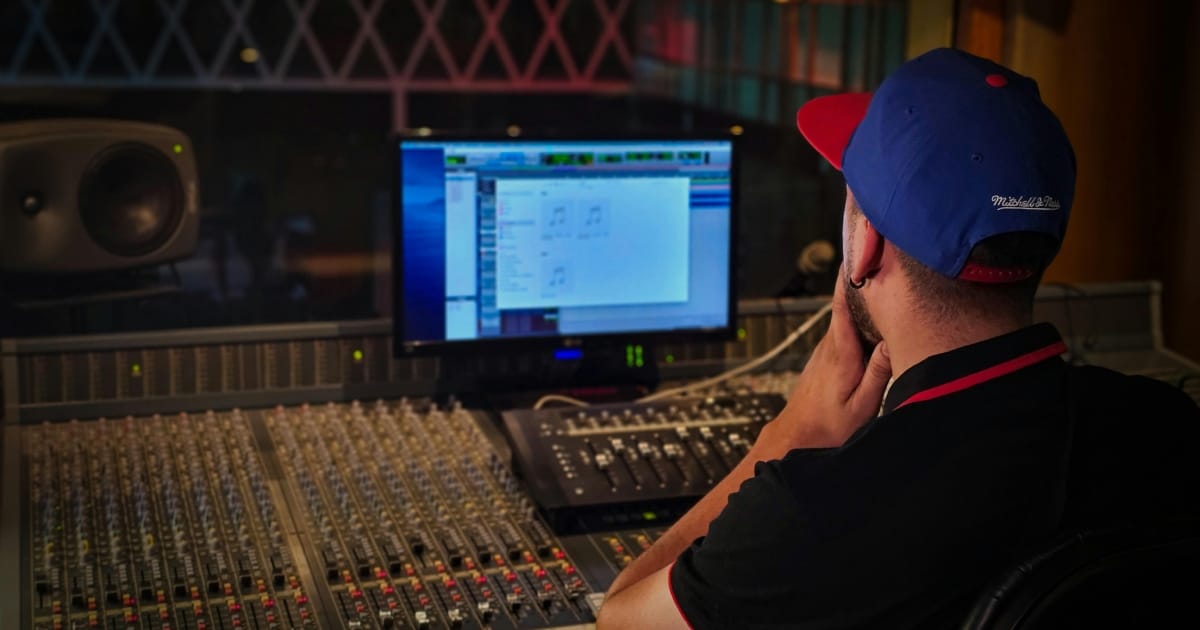
The Audio Mixer is the structural core of any game audio Unity project. Without it, every AudioSource outputs at an identical weight, and the result is noise regardless of how good the individual files are.
- Go to Window > Audio Mixer, create a Master group, and add child groups for Music, SFX, Dialogue, and Ambience. Each AudioSource routes to a group through its Output field. EQ, reverb, compression, and volume applied to a group apply to every source inside it simultaneously.
- Snapshots save the full parameter state of every group at a moment in time. A project typically carries three: Gameplay, Paused, and Underwater. One C# call transitions the entire mix, shifting every EQ, volume, and effect setting together in the specified duration.
- The Duck Volume effect unit lets one group automatically compress another. Route a Send from the Dialogue group into a Duck Volume unit on Ambience, and background audio drops the moment a voiced line plays, it recovers when it ends. No scripted polling, no coroutines. The signal chain handles it.
3D Positional Audio and Rolloff in Unity
Setting Spatial Blend to 1 on an AudioSource activates the 3D pipeline.
Channels collapse to mono, and attenuation is computed from the distance between the source and the AudioListener. Unity supports one active AudioListener per scene; adding more produces undefined mixing behavior and is a recurring source of hard-to-trace bugs.
Choosing the Right Rolloff for Your Game Sound Design
Three rolloff modes are available on every AudioSource. Logarithmic drops volume steeply at short range and flattens with distance, matching physical acoustics and serving as the correct default for most sources.
Linear reduces volume at a fixed rate from Min to Max Distance, which is predictable but rarely natural-sounding for organic sources. Custom lets you draw the attenuation curve manually in the Inspector.
Set Min and Max Distance per source rather than relying on Unity defaults. A campfire works at 5m and 30m. An explosion can push to 200m or beyond.
Meanwhile, attaching an AudioLowPassFilter and narrowing its cutoff frequency with distance adds physical accuracy. High frequencies attenuate faster through air than low ones, so a sound that is full-spectrum up close and bass-heavy at range is perceived as spatially credible without additional design work.
Dynamic Music: Vertical Layering and Horizontal Resequencing
A looping track that plays identically regardless of gameplay is the most common music mistake in game sound design. Two techniques address it.
Adaptive Music Systems for Unity Game Developers
- Vertical layering uses parallel audio tracks of identical length, rhythm, base, and tension, started together via Unity's DSP clock and muted or unmuted by game state. The base layer runs continuously while the combat and tension layers fade in and out as state changes. AudioSettings.dspTime with PlayScheduled ensures all tracks stay locked in sync. The Unity Audio Mixer handles this natively.
- Horizontal resequencing chains pre-composed segments end-to-end and selects the next based on the game state at the transition point. As video game composer, Winifred Phillips, described the technique in Game Developer, "the sequence of a musical composition can be rearranged. This process occurs while the music continues to move forward on the horizontal axis of time, allowing a continuous free-flowing transformation of musical content."
Segments must share tempo and key. Unity's DSP scheduling can approximate beat-locked transitions, but the native pipeline was not designed for this routing logic. Horizontal resequencing is the exact ceiling of Unity's built-in audio and the core reason middleware exists.
FMOD Tutorial: Adaptive Audio Integration in Unity
The Firelight Module player (FMOD) Studio, from Firelight Technologies, separates audio design from engineering. Designers author events and music logic inside FMOD Studio; programmers trigger them through C# API calls. Celeste uses FMOD as its primary audio engine, while Hades integrates FMOD middleware into Supergiant Games’ custom engine for reactive music systems. Hollow Knight, despite often being associated with FMOD-powered indie titles, primarily relies on Unity’s native audio pipeline.
The tool is free for projects under $200K USD in annual revenue and under $500K in total funding. Once either threshold is crossed, it moves into paid per-game licensing tiers, which is why FMOD scales cleanly from solo developers all the way to AA studios.
How to Set Up FMOD in Unity
- Step 1: Download FMOD Studio and the Unity Integration package from fmod.com, then import the .unitypackage via Assets > Import Package > Custom Package.
- Step 2: In FMOD > Edit Settings, set the Studio Project Path to your .fspro file.
- Step 3: In FMOD Studio, build an event with audio tracks and parameter-driven layer logic, then generate the bank.
- Step 4: Trigger events and control adaptive music intensity from gameplay code using RuntimeManager.PlayOneShot for one-shot effects and setParameterByName to pass a live Intensity value that blends music layers in real time.
FMOD blends between music layers automatically as parameters update. Enabling Live Update lets designers adjust events inside a live build without rebuilding banks, which is the core reason mid-size teams choose it.
It typically requires around half the scripting of Unity's native system for equivalent results.
Wwise Beginner Overview: The Professional Option
Wave Works Interactive Sound Engine (Wwise), from Audiokinetic, is the standard at the AAA level. Its Actor-Mixer hierarchy and Work Unit structure carry a steeper learning curve than FMOD's timeline interface. Integration into Unity takes three to five days for an experienced programmer; for a Wwise beginner starting without middleware experience, two to four weeks is a realistic ramp-up period.
The payoff is a more capable music engine.
Wwise's Music Switch Container manages transitions across multiple simultaneous dimensions: intensity, player location, and time of day can all shape the active cue within one container. Replicating that in FMOD requires more manual scripting. Wwise also carries deeper performance profiling and finer SoundBank memory control, critical on Nintendo Switch and mobile targets.
It is free for projects under $150K in revenue.
A detailed ‘FMOD vs. Wwise breakdown’ on DrCodes covers budget, team size, and platform considerations in depth. For a broader guide on ‘choosing between the two tools,’ The Game Audio Co. walks through interface, licensing, and music system differences side by side.
FMOD vs. Wwise at a Glance:
- FMOD is best suited to indie and mid-size productions and can usually be integrated within one to two days. It is free for projects earning under $200K in revenue and carries a low-to-moderate learning curve.
- Wwise fits mid-size to AAA productions and typically takes three to five days to integrate. It is free for projects earning under $150K in revenue and carries a moderate-to-high learning curve.
Free Sound Sources for Game Audio Projects
No stage of this pipeline requires paid assets. Three platforms cover most game sound design needs at zero cost.
- Freesound is a Creative Commons library in WAV, FLAC, OGG, and AIFF. Filtering by CC0 surfaces attribution-free assets; CC-BY assets require a credit in the game's credits screen.
- Zapsplat holds over 100K professionally recorded effects across UI, Foley, weapons, ambience, and vehicles. Attribution is required on the free account; a paid plan removes it.
- Soundly consolidates free and paid libraries into a desktop browsing and file management environment with waveform preview and tagging tools.
On format: Use WAV for short effects where low latency matters and OGG for music and long ambient loops. MP3 introduces a silence gap at loop points that makes clean looping unreliable in Unity. OGG does not carry that artifact.
A full breakdown of 12 of the best free SFX resources for game developers is available on gamineai.com, with detailed coverage of licensing terms and audio format guidance for each source.
What the Architecture Delivers
Most indie developers know how an AudioSource works. Far fewer know how to route a mixer without scripting, configure rolloff per source, sync vertical layers through DSP time, or complete a working FMOD tutorial integration before launch. Closing that gap costs nothing.
The Unity Audio Mixer, FMOD Studio, Wwise, and the free libraries above all have zero-cost tiers for commercial releases.
A project with correct audio architecture ships with a mix that holds up under pressure and music that responds to player actions. It also delivers spatial audio that makes the game world feel inhabited.
Players rarely name those qualities. They feel them, and games that get them right stay with people after the credits roll.

Author
Probaho Santra is a content writer at Outlook India with a master’s degree in journalism. Outside work, he enjoys photography, exploring new tech trends, and staying connected with the esports world.