




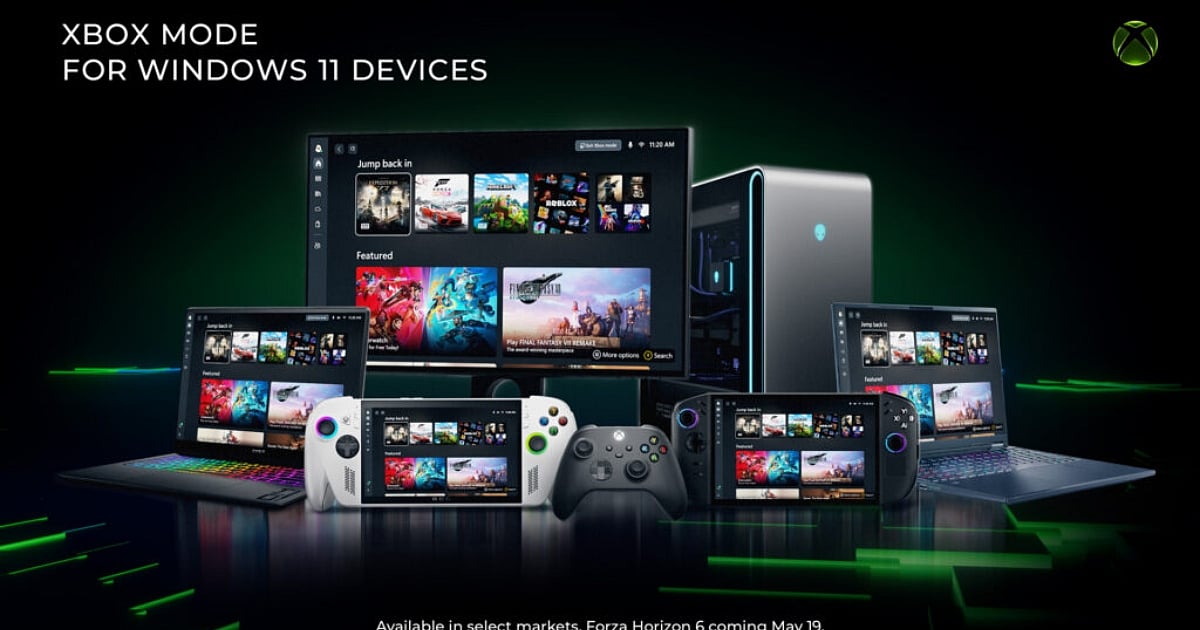
Highlights
- Xbox Mode offers a controller-friendly dashboard for Windows 11 that unifies libraries from Steam, Epic, and Game Pass.
- The feature enhances system performance by freeing up 2GB of RAM through the suspension of background tasks.
- This rollout aligns with Game Pass price cuts to strengthen Microsoft's gaming ecosystem following a recent earnings slump.
Microsoft has officially launched a game-changing update that completely blurs the line between PC and console gaming. First released to the public on April 30, 2026, "Xbox Mode" is a transformative new feature for Windows 11. It allows gamers to play their PC titles via a full-screen, controller-optimized user interface, effectively turning standard desktops, laptops, and handheld devices into dedicated gaming appliances.
Rather than juggling cumbersome pop-ups and multiple game launchers, players are greeted with an intuitive dashboard heavily inspired by the Xbox console experience. You can aggregate your collection into one unified hub, seamlessly bringing together titles from Xbox Game Pass, Steam, the Epic Games Store, and even external hard drives.
While in Xbox Mode, apps operate strictly in full-screen, and only one window is displayed at a time to drastically cut down on background distractions. However, Microsoft ensures players are never locked in; you can effortlessly jump back and forth between this immersive gaming hub and the standard Windows 11 desktop whenever it is time to work or browse the web.
Beyond its visual upgrades, Xbox Mode acts as a performance booster for your machine. By automatically prioritizing system resources and suspending unnecessary background processes, the mode can free up as much as two gigabytes of system memory to ensure the smoothest possible gameplay.
How to Enable Xbox Mode on Windows 11
However, the rollout is happening in regional waves; not every PC player will receive the update exactly at the same time. To speed up your access, Microsoft advises users to navigate to their system settings, open Windows Update, and toggle on the option to "Get the latest updates as soon as they are available." Once the feature lands on your system, activating it is a straightforward process. You simply go to Settings, select Gaming on the left side of the screen, click on Xbox Mode, and toggle it on.
From there, you can launch the mode through the Game Bar Settings, by pressing the Windows Key plus F11, or via the Windows 11 Task View by hitting the Windows Key plus Tab. Handheld users, particularly those on supported devices like the ROG Xbox Ally and Xbox Ally X, can even set their hardware to boot directly into Xbox Mode on startup, as per GameRant.
To make sure you get the absolute most out of this new feature, a good rule of thumb is to keep all of your graphics drivers fully up to date. AMD, Intel, and Nvidia users should check their respective manufacturers' software, such as the Nvidia App or AMD Adrenalin, to minimize early issues and unlock the latest graphical features.
This aggressive rollout arrives at a pivotal moment for Microsoft, acting as a powerful tool to unify its gaming ecosystem. It also follows significant shifts within the Xbox brand, aimed at bouncing back from an admitted Q3 2026 earnings slump. Just days before Xbox Mode launched, Microsoft announced a price reduction for its subscription services on April 21, dropping Xbox Game Pass Ultimate to $23.99 per month and PC Game Pass to $13.99 per month.
While future Call of Duty releases will now face a one-year delay before hitting the service as Day One titles, these bold moves, combined with the elegant approach of Xbox Mode, prove Microsoft is fiercely committed to making Windows the ultimate, hassle-free gaming platform.